Design templates for your photographer gallery and portfolio
Sharing photos with a plain link is no longer enough. Clients expect a branded experience: a strong cover, clear albums, and a photo gallery that feels professional on mobile and desktop. Ftens now offers an expanded set of project and gallery templates so you can choose the visual style without coding or custom layout work.
This guide explains which template fits each type of shoot, how access maps to plans (Free, Basic, Pro, and Advanced), and how to use them for SEO and conversion.
What are templates in Ftens?
There are two independent layers:
- Project template — Your public brand page: the album list (weddings, corporate, portrait, etc.).
- Gallery template — How each album looks: cover (hero) style and photo grid (columns, cascade, flow, etc.).
You can mix them. Example: Amira on the project (editorial look) + Clara on a gallery (wide hero band + column grid). Album cover and photo grid do not have to match.
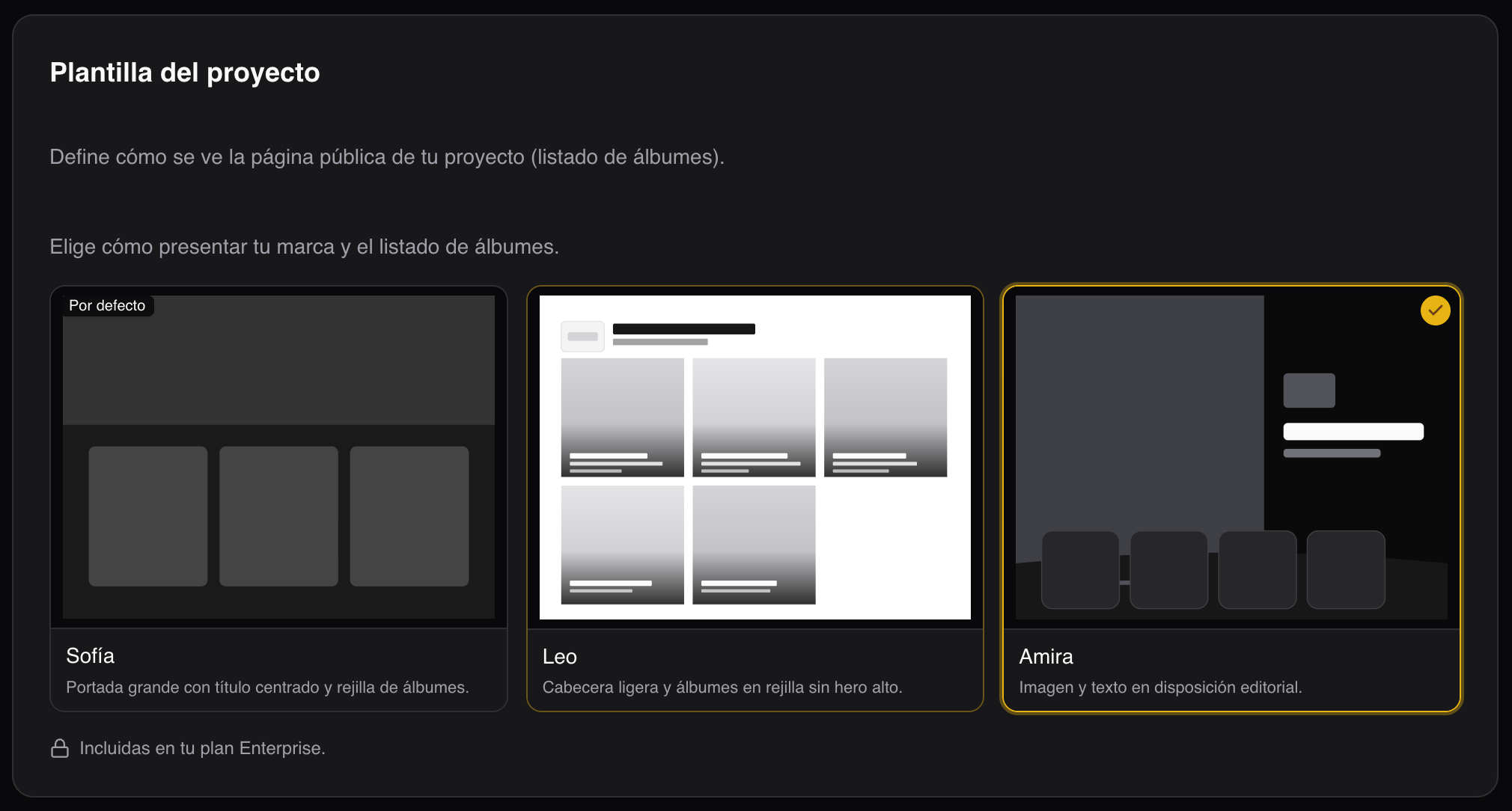
Project templates (album listing page)
| Template | Name | Best for | Plans |
|---|---|---|---|
classic-hero |
Sofía | Large cover, centered title, classic album grid | All |
minimal-grid |
Leo | Light header, optional logo, square album grid (3 or 4 columns) | Pro, Advanced |
editorial-split |
Amira | Split image and text; scroll reveals albums panel over fixed hero | Pro, Advanced |
Sofía — the baseline for every photographer
Included on all plans. Works well as a general portfolio: impactful cover and readable album list. Default template when you start on Ftens.
Leo — minimal portfolio with options
For photographers who want less hero, more content: square album cards, per-event subtitle (location or year), and photo/video counts. On Pro and Advanced you can configure:
- Show or hide the logo in the header.
- 3 or 4 columns on desktop.
Great for studios with many events and strong branding without a cinematic cover.
Amira — editorial presentation
Split-screen photography plus brand block (logo + title) and an albums section that slides up on scroll while the hero stays fixed behind. Suited to event brands, fashion, or campaigns with a strong key visual.
Available on Pro and Advanced.
Gallery templates (album photos)
| Template | Name | Cover | Photos | Plans |
|---|---|---|---|---|
cover-masonry |
Marco | In the grid | Columns | All |
uniform-grid |
Clara | Wide band (~50% height) | Columns | Basic and above |
full-bleed-cover |
Nico | Full screen | Flow | Pro, Advanced |
split-hero-justified |
Elena | Half and half | Cascade | Pro, Advanced |
Marco and Clara — clear column layouts
Marco places the cover inside the same grid as photos; Clara uses a horizontal hero on top and 2–4 columns below with natural aspect ratios. Clara unlocks from the Basic plan—a strong visual upgrade without Pro.
Nico and Elena — visual storytelling
- Nico: full-screen hero and Flow gallery (adaptive rows).
- Elena: 50/50 hero (text + image) and Cascade photos (Pinterest-style column heights).
Both are premium templates (Pro and Advanced), ideal for weddings, concerts, or reportage where first impression matters as much as browsing dozens of images.
Templates included in your plan
Quick reference when choosing a subscription:
- Free: Sofía (project) + Marco (gallery).
- Basic: above + Clara (gallery).
- Pro / Advanced: full catalog including Leo, Amira, Nico, and Elena, plus analytics and other premium features per plan.
Gallery sales are available on every plan (including Free); the platform fee depends on your subscription.
See the latest details on our pricing section.
How to change templates (without breaking links)
- Go to Dashboard → your project → Settings.
- Under Project template, pick Sofía, Leo, or Amira (per your plan).
- In each gallery’s settings, choose the gallery template.
Changes apply immediately on the public URL; slugs stay the same, so links already sent to clients keep working.
SEO and conversion tips with templates
- One project per niche (weddings, corporate) with a matching project template reinforces specialization.
- Use titles and descriptions on projects and galleries; templates surface that copy on covers and cards.
- Clara or Nico often improve time on page for long galleries (clear hero + comfortable grid).
- To sell photos, pair premium templates with online gallery sales—you can start on the free plan.
FAQ
Can I use different templates on each gallery in the same project?
Yes. One project template applies to the album list; each gallery can use its own template (e.g. Amira on the client home and Marco on a quick behind-the-scenes album).
If I downgrade, what happens to a premium template already selected?
The public page falls back to the default template allowed on your current plan. Review settings after any subscription change.
Do templates affect gallery SEO?
HTML structure and URLs are unchanged; content (title, description, alt text) and fast loading help SEO most. Ftens generates metadata and Open Graph per gallery; templates improve experience and dwell time—positive indirect signals.
Will you add more templates?
Yes—the catalog can grow. New entries will appear in the dashboard picker and on this blog when released.
Want to try them on your next event? Sign up free on Ftens, set up a project, and switch templates in one click. For Leo, Amira, Nico, or Elena, check Pro and Advanced plans.